![Audiense.png]](https://help.audiense.com/hs-fs/hubfs/Audiense.png?height=36&name=Audiense.png)
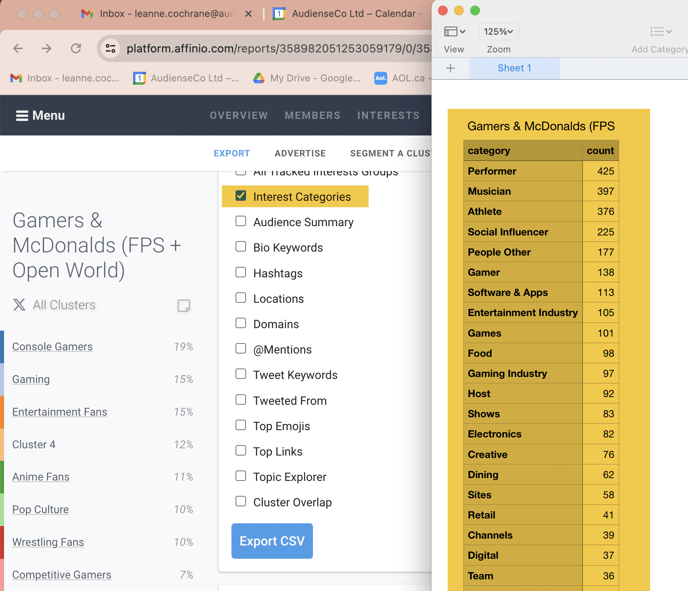
You can export data in .csv format for your own further analysis, or export members to upload to social listening tools. Options will vary depending on network, report type, and whether you are viewing your report from the audience or cluster perspective.
When exporting data at the audience level, you can choose from “Top Results” and “All Results.” Top Results are what we have identified as the best representation of the overall audience; and All Results provide a combination of all available data from across clusters. File size limitations apply when exporting interests; there is a maximum export of 5000.
You can of course select an individual cluster, but the option to include all is there once you've clicked on All Clusters on the left menu.
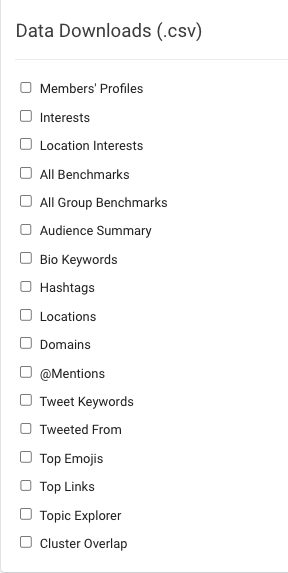
%201.png?width=688&height=312&name=4.4.2%20Export%20-%20Data%20Downloads%20(.csv)%201.png)
New updates:
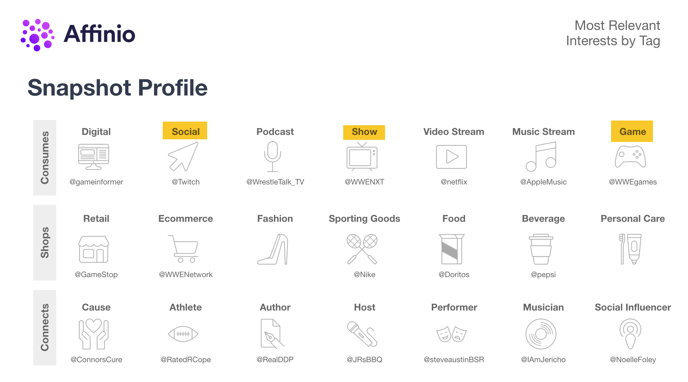
- Some updates to what we populate in the Snapshot Profile slide export (based on recent updates to Interest tags)
2. A new CSV export of our Interest Categories per cluster/audience