![icon-audiense (2).svg]](https://help.audiense.com/hubfs/icon-audiense%20(2).svg)
We are sorry to hear that you will no longer be with us. Please follow these simple steps to proceed with your cancellation:
Cancelation from Audiense Insights
- Go to your Insight Dashboard and click on the settings wheel:
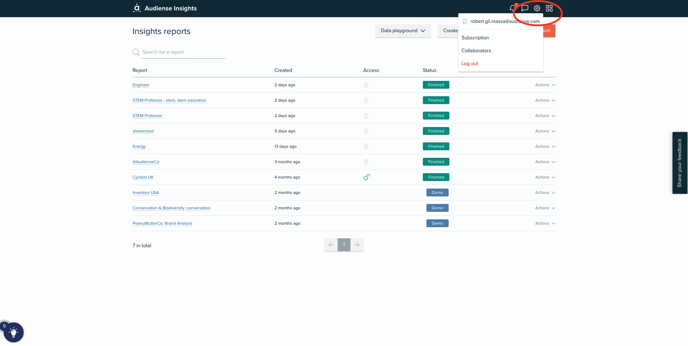
- From there click on Subscription, which will bring you to the following page:
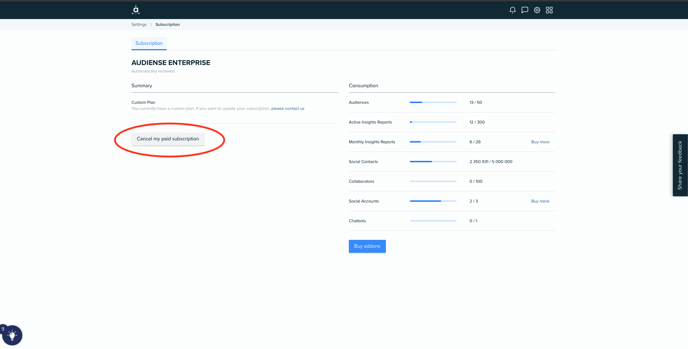
Cancelation from Audiense Connect
- Go to your Connect Dashboard:
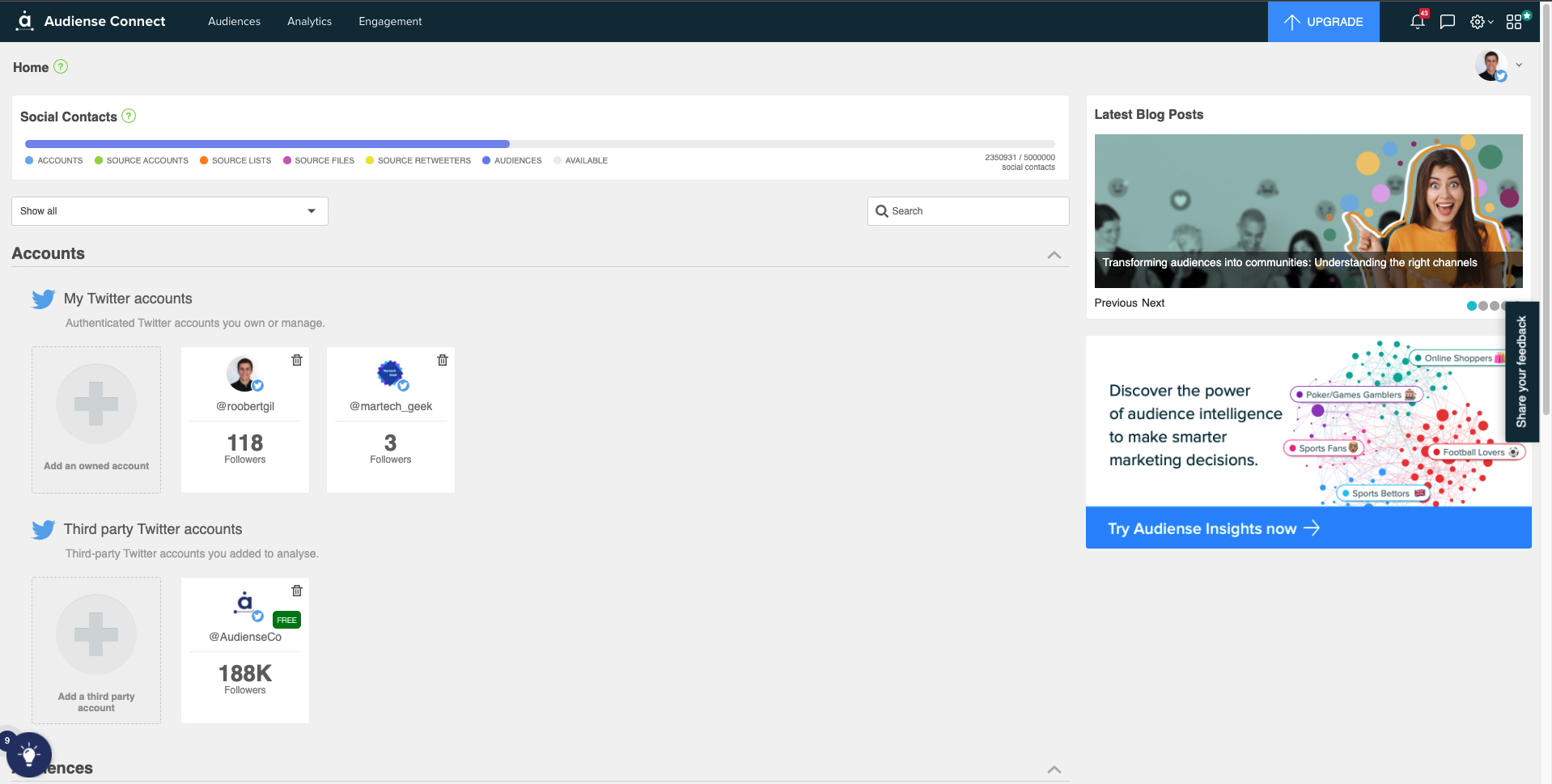
- Click on the settings wheel and then click om Payment plan:
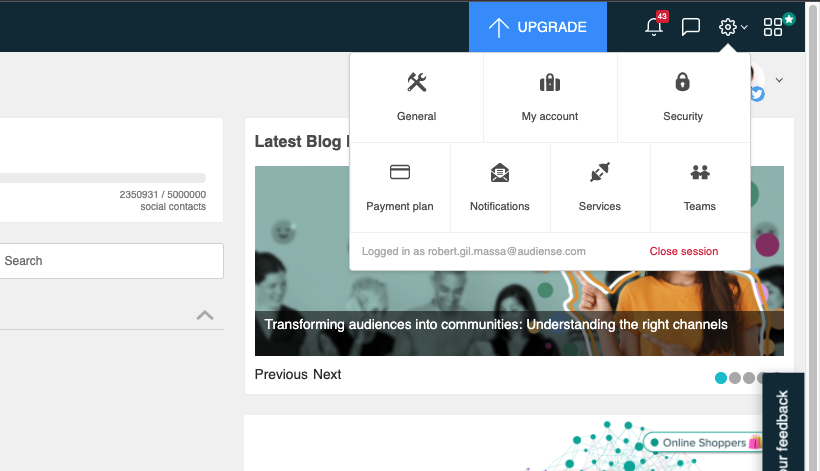
- This will bring you to the page below, from there you click on the blue link to make changes to your plan:
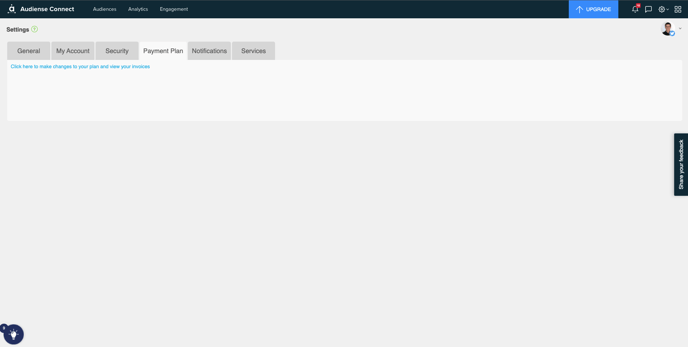
- From there, you will be directed to this page where you can see the Cancel my account button:
Once you complete the cancelation form your account will be downgraded to free. This will leave your account with the capabilities that free users have.